Client intake summaries
Turn first-call notes or a transcript into the client’s situation, stated goals, constraints, risks, open questions, and a list of information to request.

Consulting Edition · Pilot program
Turn intake notes, meetings, and client documents into proposals, action plans, and reports. The AI runs on your own Windows computer from a portable drive, so client material never goes to a cloud AI service.
Workflows
Each workflow asks for the details that shape a useful draft: the client, the decision maker, the fee model, or the review checklist.
Turn first-call notes or a transcript into the client’s situation, stated goals, constraints, risks, open questions, and a list of information to request.
Executive summary, scope with an explicit out-of-scope list, approach by phase, deliverables, timeline, and an investment table that follows the fee model you choose.
Decisions, action items with owner and due columns, open questions, and risks, pulled from notes or a transcript, with an optional follow-up email to attendees.
Status reports, final reports, or findings memos built from your working notes, with findings tied to the excerpts you supply.
Check a client’s document, or your own draft, against a checklist you write. Each requirement gets a status, supporting text from the document, and a question or suggested fix.
Follow-ups, scope notes, and difficult updates in a warm, direct, or diplomatic tone, using the dates and terms you supply. The dashboard never sends anything.
An engagement profile stores the client’s situation, objectives, stakeholders, deliverables, timeline, and your house style. Every request for that engagement starts with this context, and you can switch it off for any single request.
The screenshot shows a fictional sample engagement in the pilot dashboard on the development computer.

Accuracy
The AI is instructed to leave anything it was not given as a bracketed placeholder: [FEE], [DATE], [CASE STUDY], [CONSULTANT CREDENTIALS]. A proposal arrives with its structure and wording drafted and its commercial terms left for you.
Before sending, search the draft for square brackets and fill in each one. The review note under every draft repeats the reminder.
![The Build a proposal form beside a generated proposal whose fee table uses [FEE] placeholders.](/assets/img/screens/consulting-proposal-2x.webp?v=1791355930)
Packets
A packet builds several related documents from one request, one component at a time. Later components receive the earlier ones, so the documents stay consistent.
Each packet exports as a client bundle and an internal bundle. The client bundle leaves internal-only components out.

Privacy
Client notes and documents go only to the AI server on your computer. The dashboard has no analytics, no cloud AI calls, and no online account.
Once the drive is set up, you can draft with Wi-Fi off and the network cable unplugged. The AI server listens only at 127.0.0.1, the address of your own computer.
Import DOCX, PDF, and text files, search them, and choose the excerpts a request may use. Only the selected text goes to the local model, and imported documents stay in the current session.
Saving is optional. When you save engagements to the drive, you can protect the workspace file with a passphrase. There is no passphrase recovery.
Type your firm name in the export options and it appears at the top of Word and PDF documents. Proposal, report, agenda, and internal memo layouts are included.
Know the limits
Pricing
Every option carries the same Consulting Edition software, models, and dashboard. You choose the drive it ships on.
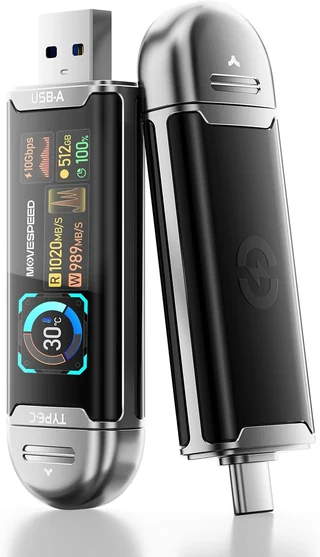
MOVE SPEED USB SSD stick with smart display, 512 GB
$649
Planned launch price. Before tax and shipping. One drive.
Recommended
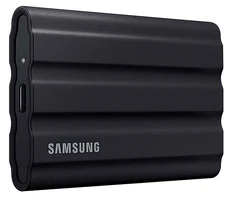
Samsung T7 Shield portable SSD, 1 TB
$739
Planned launch price. Before tax and shipping. One drive.
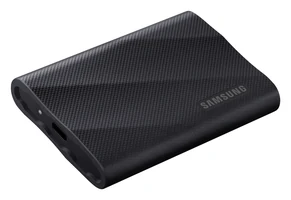
Samsung T9 portable SSD, 2 TB
$949
Planned launch price. Before tax and shipping. One drive.
The pilot is limited to a small group of consultants, who receive a price below launch pricing in exchange for a feedback call after 30 days. Each pilot includes the first 12 months of updates and a 30-minute onboarding session. The final package contents, compatible hardware, support terms, and return policy are confirmed with you in writing before you pay.
Join the pilot
Tell us about your practice and your computer. We read every application and reply by email.
Education, training, grant-writing, and operations consultants are especially welcome. Already have a question about your computer? Use the compatibility form.
Included at no extra charge
For questions outside client work, open Everyday Assistant from the bottom of the dashboard sidebar. It is a general-purpose chat in its own tab, using the model that is already loaded, and it is included with every Evolve AI edition.
We are inviting a small group of consultants to use the pilot on real client work. Tell us about your practice, and we will follow up by email.