Write and rewrite
Draft an email, a thank-you note, a complaint letter, or a cover letter. Ask for it shorter, friendlier, or more formal until it sounds like you.

Evolve Everyday · Private AI chat on a USB stick
Plug the stick into your Windows computer and chat with an AI that runs right there on that computer. Write, explain, plan, and brainstorm with no account, no subscription, and nothing sent to the cloud. $179, once.

What it does
Everyday Assistant is a general-purpose AI chat. Ask in plain words, follow up as often as you like, and choose brief, balanced, or detailed answers.
Draft an email, a thank-you note, a complaint letter, or a cover letter. Ask for it shorter, friendlier, or more formal until it sounds like you.
Paste a confusing paragraph from a lease, a bill, or a set of instructions and ask what it means in everyday language, with the questions worth asking next.
Weekly meals and a shopping list, a trip itinerary, a moving checklist, or a study schedule, laid out as a table you can print.
Get a topic explained step by step, at your level, then ask it to quiz you or give a simpler example.
Gift ideas, party themes, names for a club or a small project, and fresh angles when you are stuck.
Lay out the options, the pros and cons, and the questions to answer before you choose.
A closer look

How it works
Use any free USB port on your Windows 11 computer. There is nothing to install.
The AI loads from the stick. The first time, Windows asks you to confirm, and we show you exactly what to expect.
Everyday Assistant opens in a browser tab. Close the window when you are done, unplug the stick, and take it with you.
Privacy
Your messages go only to the AI running on that computer. The app makes no cloud AI calls, has no analytics, and loads no online fonts.
Once the stick is plugged in, you can turn Wi-Fi off and keep chatting. There is no account to create and nothing to sign in to.
Chats live in the open browser tab and disappear when you close it. To keep one, save a backup or export it. Those files are unencrypted, so store them where you keep private papers.
Everyday or a full drive?
Evolve Everyday is the private chat on its own. A full Evolve AI drive adds a dashboard built for your work and AI pictures.
| Evolve Everyday | Full drives (Pocket, Rugged, Premium) | |
|---|---|---|
| Everyday Assistant private chat | Included | Included |
| A profession edition, such as Video Studio or the Educator Edition | Available on full drives | One of your choice included |
| Image Studio (AI pictures, NVIDIA graphics card needed) | Available on full drives | Included |
| More editions on the same drive | Available on full drives | $149 each |
| Storage | 128 GB USB stick | 512 GB to 2 TB solid-state drive |
| Price, paid once | $179 | From $449 |
Trade-up credit
Every Evolve Everyday stick comes with a $100 credit toward one full Evolve AI drive, ordered within 90 days of buying the stick. The code is on your receipt. Enter it at checkout, and you keep the Everyday stick.
Each drive includes one edition of your choice, Everyday Assistant, and Image Studio.
Good to know
Questions
No. You pay $179 once. The AI runs on your own computer, so there are no per-message fees, and bug and security fixes are free.
Yes. Anyone in your household can use the stick, on any Windows computer that meets the requirements. Each person can save their own chats to a backup file.
Those run on a company’s servers, usually need an account, and keep your conversations on their side. Evolve Everyday runs on your computer, needs no account, and keeps working with the internet off. Their large online models know more and handle harder questions; Everyday Assistant is built for privacy and everyday tasks.
You can paste text into the chat and ask about it. Opening files and reading photos are features of the full editions, such as the Educator Edition.
Use your $100 trade-up credit within 90 days to get a full drive with the edition for your work. You keep the Everyday stick.
Return it within 30 days of delivery for a full refund. Open a support ticket first, since most problems have a quick fix.
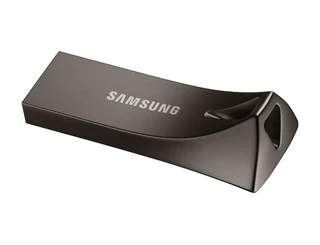
Samsung BAR Plus USB flash drive, 128 GB
$179
Paid once. Before tax and shipping.
Online checkout opens soon. Send this request and we reply by email to confirm your computer and send a secure payment link.
$179 once, with no account, no subscription, and a $100 credit if you trade up to a full drive.